Followback Watchdog · X / Twitter · Guide
Who unfollowed you on X? What you can and cannot check
X does not provide a complete historical unfollow log for ordinary users. Learn how to distinguish current non-followers from past unfollow events and how to review community reports with Followback Watchdog.
English-language guide · Updated October 2026
Can X directly show a history of unfollows?
X does not offer an ordinary user a complete native list of every past unfollow event with dates. You can view current Following and Followers relationships, or compare with data you saved earlier.
Some tracking tools take periodic snapshots of followers and compare them over time. Such a tool can detect changes after snapshot collection begins but cannot recover older events that were never recorded.
Someone not following you back today is not necessarily someone who previously followed and then unfollowed you. These are distinct situations.
What is Followback Watchdog?
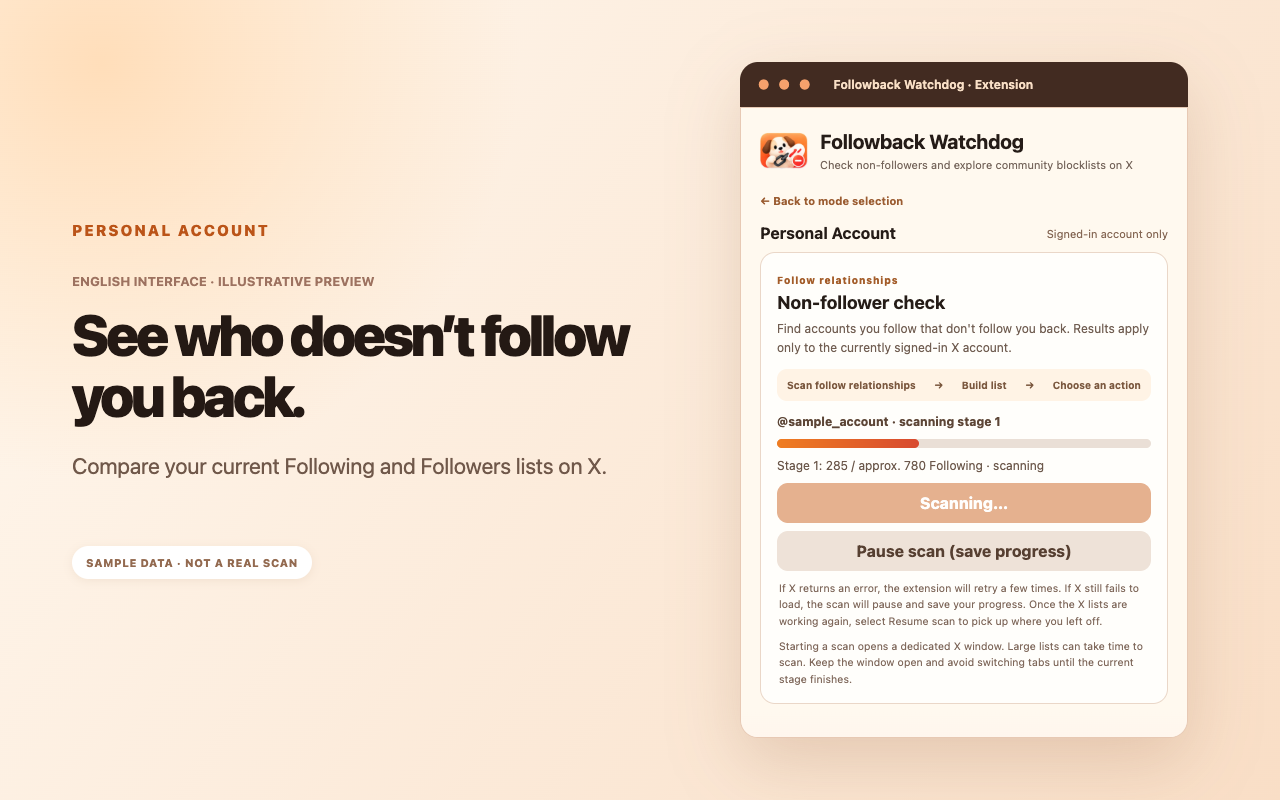
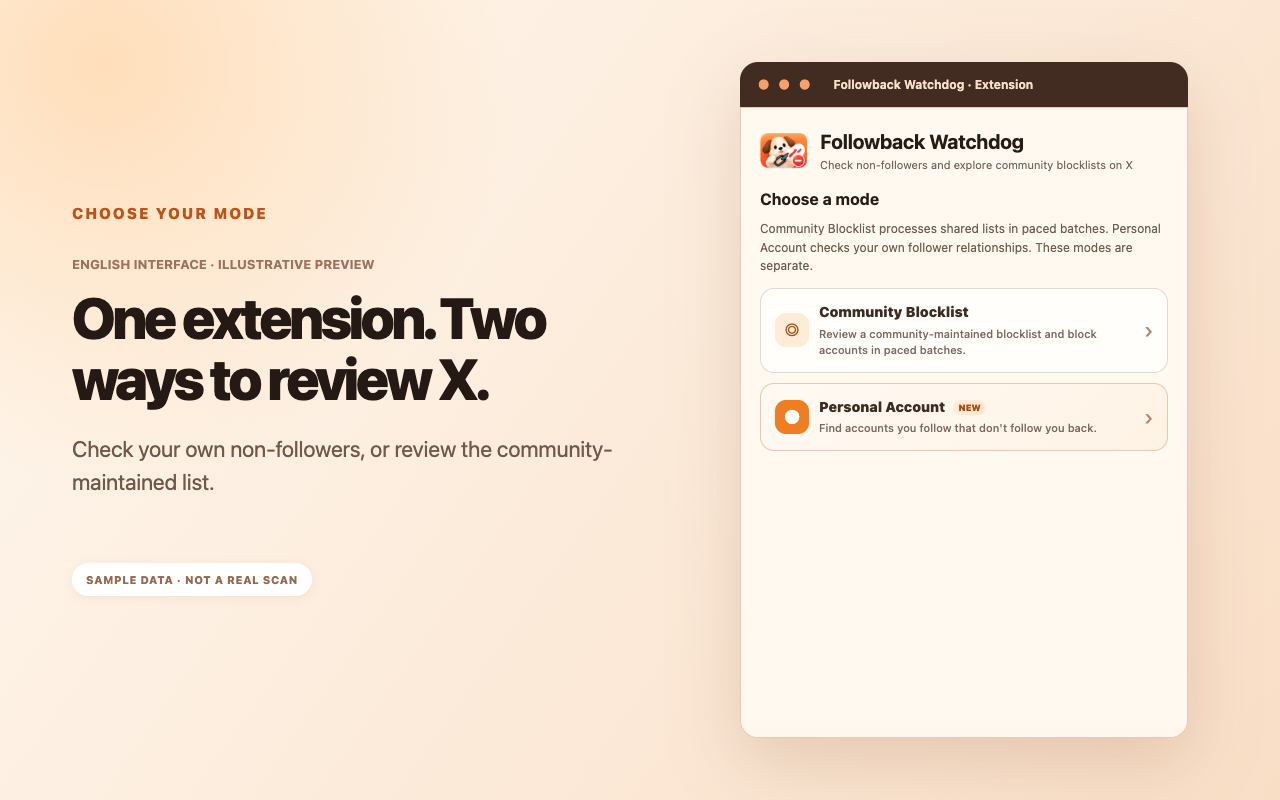
Followback Watchdog offers Personal Account mode to check current non-followers and Community Blocklist mode to browse shared community reports. It does not claim to know everyone who recently unfollowed you.
The community list grew out of public discussions and voluntary submissions in the Chinese-speaking X community, with a review and correction process. It is an information source rather than proof of an account's motives or actions.
Where community reports can come from
1. Public posts
Public posts discussing a possible follow-back-and-unfollow incident, especially with verifiable context, can provide a lead for further review.
2. Follow-back discussions
Accounts taking part in explicit follow-back threads may be flagged for further review when public account behavior raises questions. Follower/following ratios alone do not establish what happened.
3. User submissions
Users can provide public post links, screenshots or timelines that help reviewers understand an account report. Listed accounts should also have a way to request correction or removal when context changes.
How to use the extension
Step 1: Install the browser extension
Choose the Chrome, Edge or Firefox listing from the website. Store versions can trail the latest description while updates undergo review.
Step 2: Choose a mode and review the list
Open Community Blocklist to inspect shared entries, or Personal Account to compare your signed-in account's current relationships.
Step 3: Verify before you act
When you see an account you recognize, open its profile and review the current relationship and available context. The tool should support, not replace, your judgment.
Step 4: Confirm a paced task
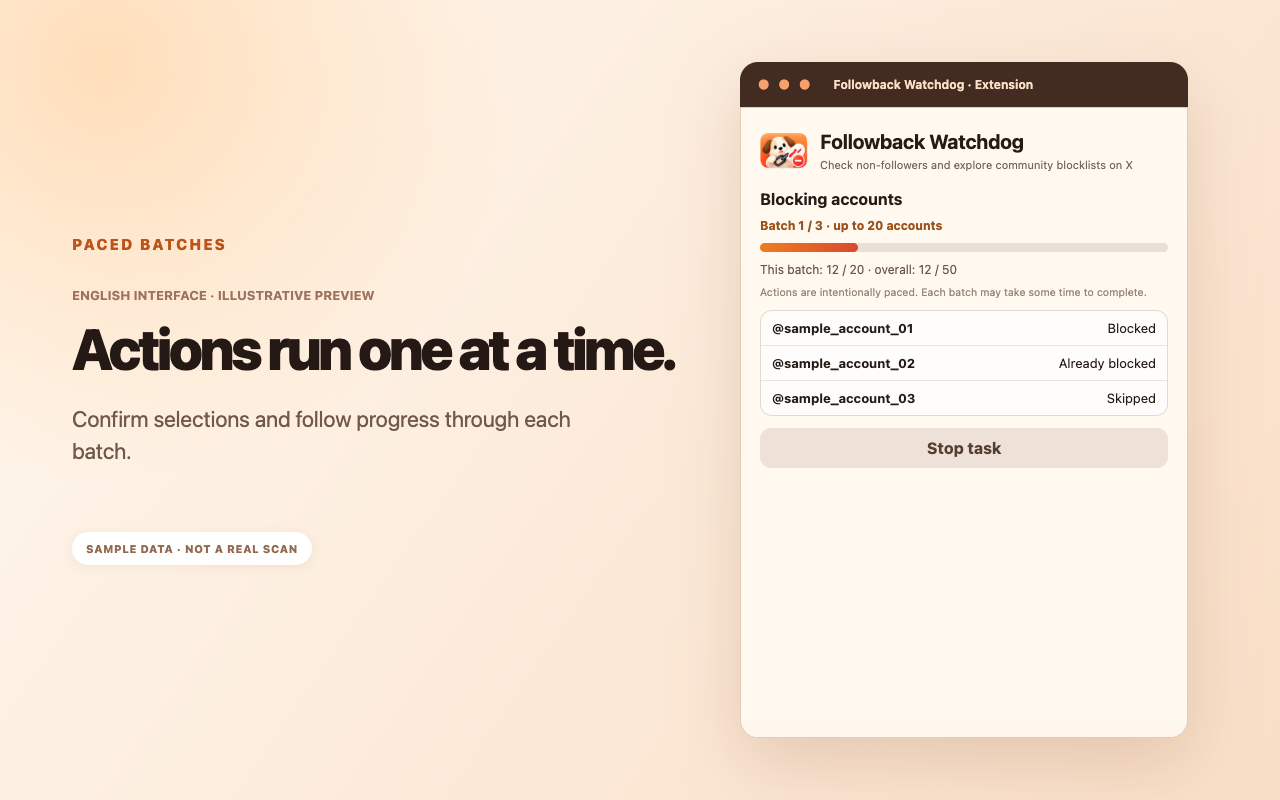
Blocking or unfollowing does not begin until you select accounts and confirm the action. Tasks proceed in paced batches and can pause if the expected X controls cannot be verified.
Step 5: Check for list updates later
The maintained community list can be updated without rebuilding every browser package. The extension may retrieve the latest available list when it runs.
Why follower/following ratios are not proof
A ratio describes how an account looks now. Someone who follows 1,000 accounts and has 3,000 followers might simply use X that way. That ratio tells you nothing conclusive about whether they once followed and later unfollowed a particular user.
- Treat ratios as possible context, not a verdict.
- Look at the original follow-back discussion and public posts.
- Consider available screenshots and timelines before drawing conclusions.
- Do not automatically label or submit an account based on a single numerical ratio.
Because of this, the list emphasizes reviewed public leads rather than pretending to offer a perfect automated judgment.
Why actions use batches and cooldowns
The design processes at most 20 accounts per batch and imposes a default 30-minute break between batches, so users can reconsider before continuing.
A secondary option may allow skipping the cooldown after confirming additional risks. Doing so can increase the frequency of operations and raise the possibility of hitting X rate limits or account restrictions.
Neither the batch limit nor the cooldown is a guarantee of account safety. X may restrict automated website interactions, so review the platform's rules before using automation.
Privacy and account safety
The extension does not request or save your X password or access private messages. Personal scans read current follow relationships for comparison; they do not automatically turn personal results into public community submissions.
Community list retrieval and submissions are separate flows. Submission of processed usernames happens only after a deliberate opt-in, with the scope described in the privacy notice.
X has platform rules around automated actions. Followback Watchdog is independent of X and cannot guarantee that automated activity will not cause rate limits or suspensions.
Frequently asked questions
Is a non-follower the same as someone who unfollowed me?
No. A non-follower is someone you follow who does not currently follow you. An unfollow is a past change in an existing relationship.
Does appearing on a community list prove wrongdoing?
No. Entries are contextual leads; you should check the available information and decide for yourself.
Can I use Community Blocklist without scanning my account?
Yes. It is a separate mode.
Does the extension need my X password?
No. It operates in the signed-in browser session without requesting your password.
Can list changes appear without reinstalling?
Generally, yes. The online community list can be updated independently from the packaged extension code.